
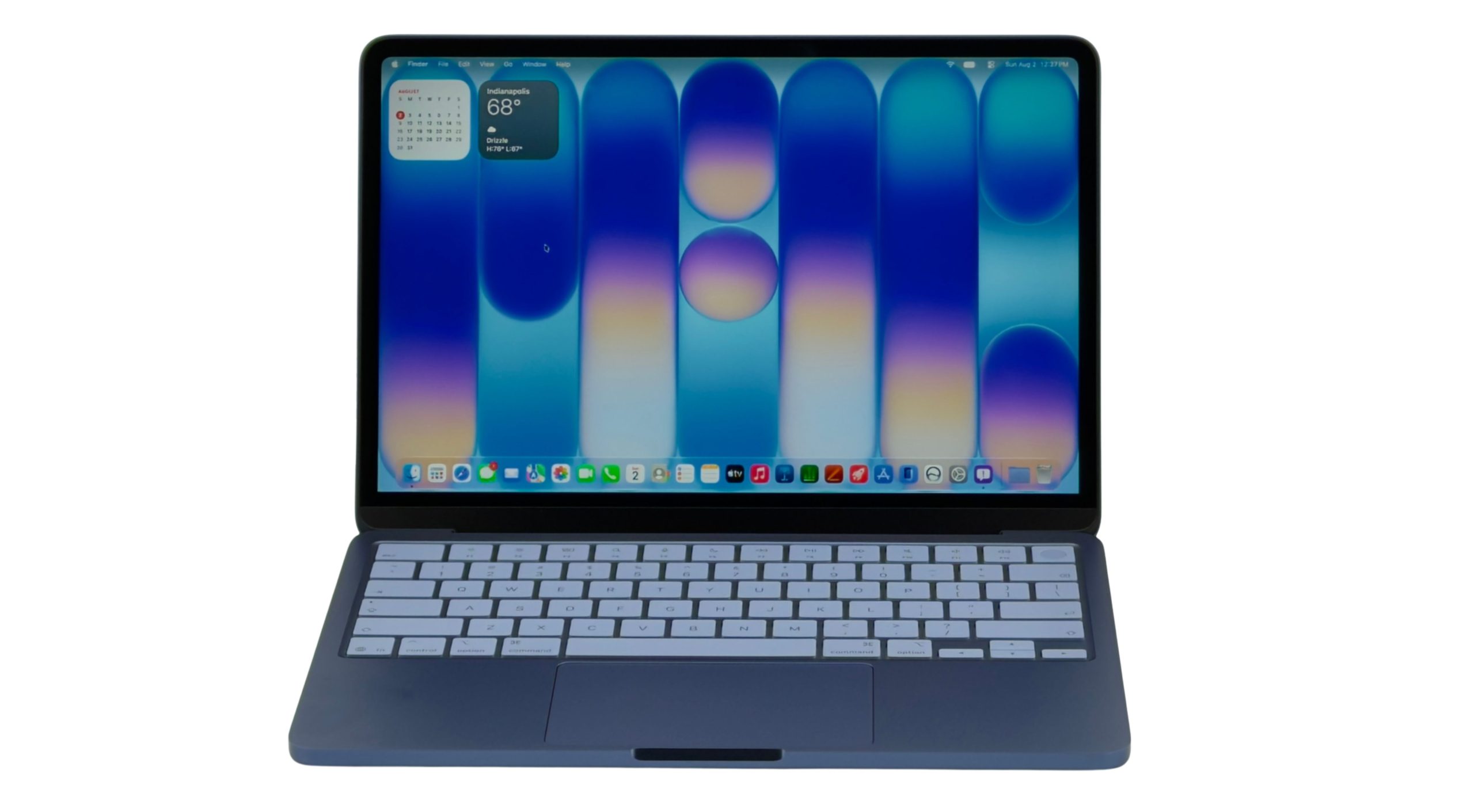
The Apple MacBook laptops are extremely popular with a vast group of users because they run MacOS. Many people believe this operating system is more intuitive, secure, and versatile than Windows. However, the starting price of a MacBook Air is about $1,300, while a MacBook Pro’s least expensive configuration starts at $2,000. When Apple released the low-cost MacBook Neo, it immediately became a bestseller, in part because it’s priced at just $699 or $799. In fact, year one sales projection for the MacBook Neo now exceeded 10 million units, which is unprecedented.

Apple MacBook Neo Laptop
Sure, the MacBook Neo is a scaled down version of a MacBook laptop, but it’s more than adequate for the average user’s mobile computing needs. Based on specs, the MacBook Neo has a slower processor, a lower resolution display, fewer ports, less internal storage, and a non-backlit keyboard, compared to other MacBook models. On the plus side, the MacBook Neo runs the same version of the MacOS 27 Golden Gate operating system as all other current model MacBooks, and it comes with the same collection of preinstalled apps. It also offers Apple Intelligence and Siri AI artificial intelligence tools and features, and it works with all Apple services (including iCloud, Apple Music, Apple TV, Apple News, and more).
Shortly after the MacBook Neo was released, I was hired to write a full-length “how to” book about this laptop, called Apple MacBook Neo for Everyone. It will be published later this year by Broad Books. To write this book, I purchased the $799 version of the MacBook Neo (with the Touch ID feature and 512GB of internal storage) from my local Apple Store. Meanwhile, I already owned a MacBook Pro and MacBook Air laptop.
Once I started using the MacBook Neo, I immediately discovered it can easily handle the mobile computing needs of students, seniors, remote workers, and average computer users who mainly rely on the apps that come preinstalled with all iMacs and MacBooks (such as Mail, Calendar, Contacts, Safari, FaceTime, Notes, Reminders, Messages, etc.), as well as cloud-based apps. Keep reading to learn more about my experience working with the MacBook Neo, and why I believe it’s the most fairly priced MacBook currently available.
Specifications
- Price: $699 or $799.
- Operating System: MacOS 27 Golden Gate.
- Processor: Apple A18 Pro chip.
- Graphics: 5-core GPU.5-core GPU.
- AI Integration: Apple Intelligence and Siri AI.
- Display Size: 13 inches.
- Display Type: LED Backlit Display with IPS technology.
- Display Resolution:: 2408 x 1,506 pixels.
- Max. Display Brightness: 500 nits.
- Battery: 36.5-watt-hour lithium-ion.
- RAM: 8GB.
- Storage: 256GB or 512GB.
- Ports: 2x USB Type-C; 3.5mm headphone jack.
- Keyboard: Non-backlit keyboard with TouchID option.
- Speakers: 2x Stereo.
- Webcam: 1080p FaceTime HD camera.
- Wireless Connectivity: Wi-Fi 6E, Bluetooth 6.
- Dimensions: 11.71 inches wide x 8.12 inches deep x 0.5 inches thick.
- Weight: 2.7 pounds.
- Color Options: Silver, Blush, Citrus, Indigo.
Pros
- Most affordable MacBook option available.
- Comes with the same preinstalled apps as all other iMacs and Macbooks.
- Integrates with iCloud and all Apple services.
- It’s a versatile “starter” laptop.
Cons
- Non-backlit keyboard.
- Limited ports.
- Limited to 256GB or 512GB of internal storage.
What’s So Great About the MacBook Neo
For many people, the most enticing reason to invest in the MacBook Neo is its price – $699 or $799. The only two differences between these two models is that the more expensive option comes with the TouchID feature built into the keyboard and 512GB of internal storage (instead of just 256GB).
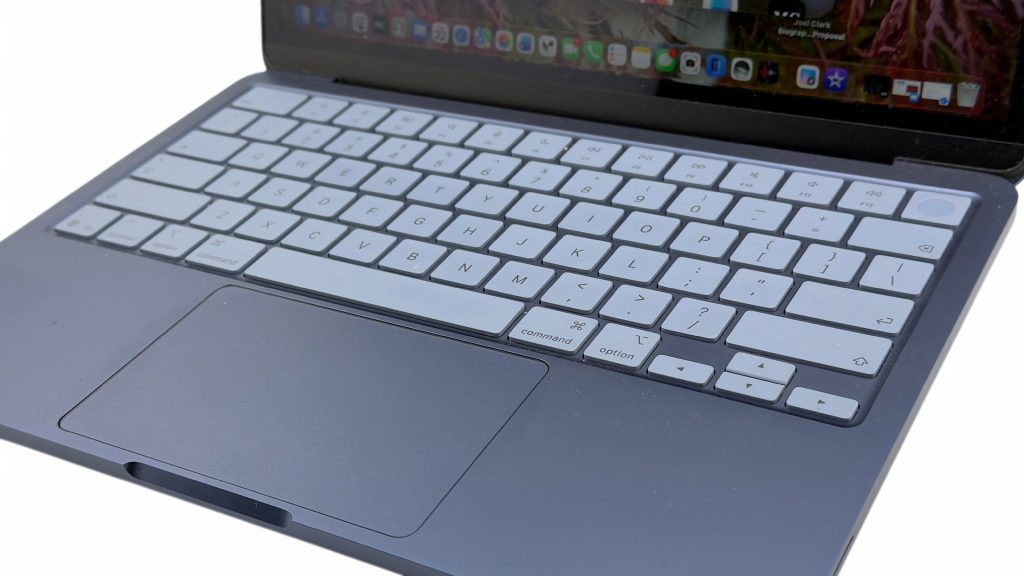
The battery life of both models is up to 13 hours, which is impressive, and when using most applications, the 13-inch LED display offers crisp, bright, and clear text, graphics, and video. Meanwhile, the stereo speakers generate ample quality audio, but I’d certainly recommend using wireless earbuds or headphones, such as the Apple AirPods Pro 3 (sold separately) when listening to music or streaming TV shows or movies.
Unless you plan to work with extremely large files, run applications that require a tremendous level of computing power, or you want a laptop that can be used to edit high-resolution video, chances are the MacBook Neo can handle whatever everyday computing tasks you require. The thing to keep in mind is that local storage space is limited, so if you need to store extremely large files, you’ll want to rely on cloud-based storage or an external SSD drive or thumb drive that connects to the laptop via one of its USB Type-C ports.
The processor that powers the MacBook Neo is the Apple A18 Pro chip. This is the same processor used to power the iPhone 16 Pro and iPhone 16 Pro Max smartphones, so it’s not the most modern or powerful, but it’s sufficient for this entry-level laptop.
Who the MacBook Neo will Appeal To
It’s easy to say that the MacBook Neo is a great option for students who want a laptop that fits perfectly into the Apple ecosystem, so it can exchange data, files, photos, and content with other Macs, iPhones, iPads, and the Apple Watch, for example. However, the MacBook Neo can be just as useful to non-tech savvy seniors who don’t want to spend a fortune on a new laptop. If you own an outdated MacBook that no longer supports the latest version of MacOS, the MacBook Neo is an economical option.
Since the MacBook Neo can easily run most popular locally installed and cloud-based business apps, this is also a viable option for businesspeople and remote workers looking for a budget-friendly laptop that runs the latest version of MacOS with Apple Intelligence features. In a nutshell, this is a well-designed and versatile entry-level MacBook that offers the same intuitive operating system and user interface as all other Macs.
Working with the MacBook Neo
In addition to running all of the apps that come preinstalled with MacOS 27, it also seamlessly runs any cloud-based application (when the laptop is connected to the internet), as well as popular and optional locally installed apps, like Microsoft Word, Microsoft Excel, Microsoft PowerPoint, Microsoft Outlook, and the Google Chrome web browser to name just a few. The laptop also runs all of the Google Workplace apps just fine, for example.
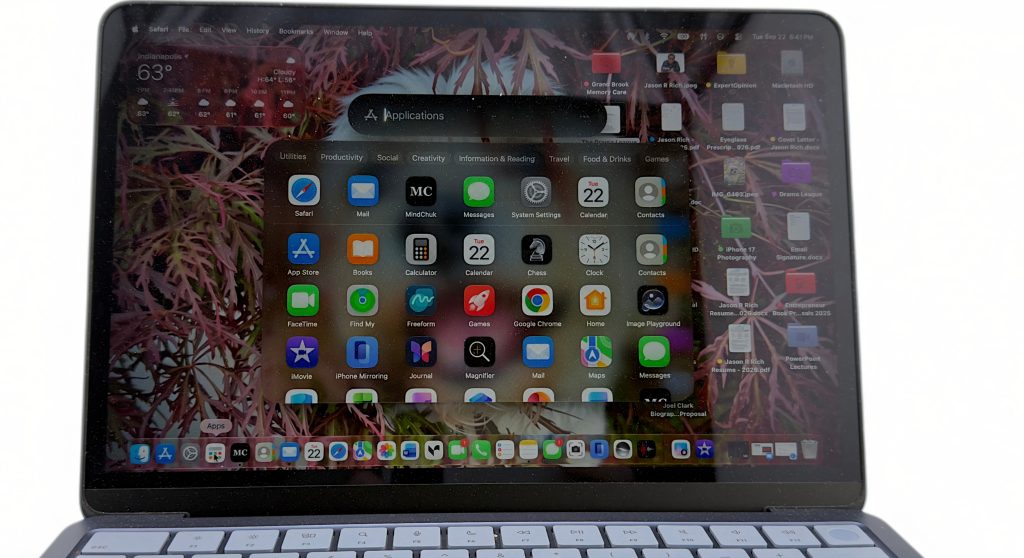
Like other MacBooks, however, the Neo comes with the Apple iWork apps preinstalled (including Pages, Numbers, and Keynote). You also get full integration with iCloud and Apple’s other cloud-based services (some of which are subscription-based). Running these and many other applications, the MacBook Neo operates flawlessly. Even the enhanced Siri AI digital assistant is fully operational whether you’re speaking to it or typing prompts, questions, and commands. Of course, you can just as easily use ChatGPT, Microsoft Copilot, Google Gemini, or any other AI tool when you access them using your favorite web browser.
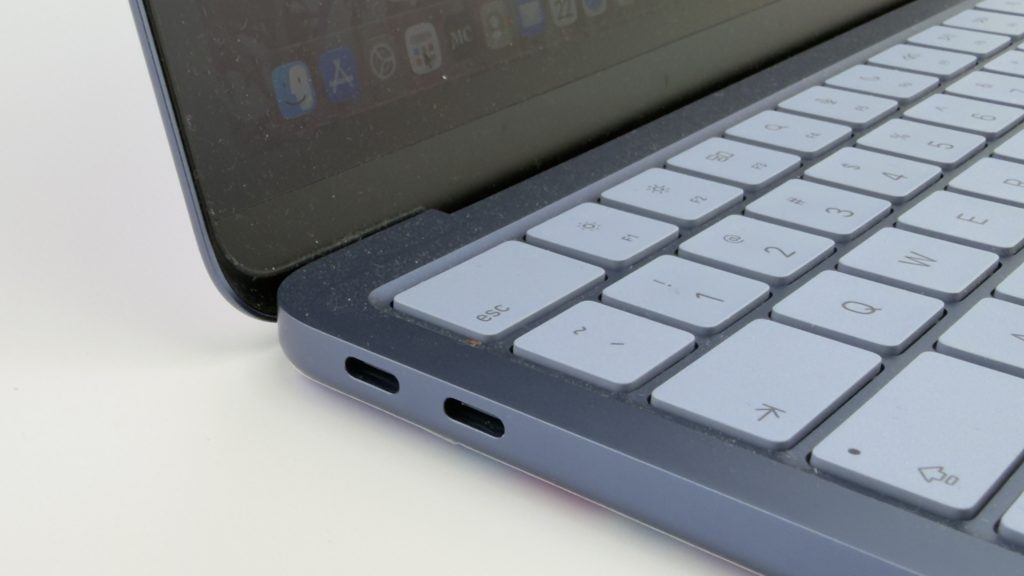
After several weeks using the MacBook Neo, my two biggest complaints (compared to using the MacBook Air or MacBook Pro) are the lack of a backlit keyboard and the limited number of ports built into the side of this laptop. All you get are two USB Type-C ports and a 3.5mm headphone jack. From a performance standpoint, I noticed little to no difference whatsoever in the Neo’s performance when running common apps and cloud-based applications – including Apple Arcade games.
Tasks like streaming video or audio, word processing, web browsing, viewing and editing photos (using the Photos app), and managing a schedule, contacts, and multiple email accounts all work with no issues. If you need to use your laptop in conjunction with multiple external monitors, keep in mind the Neo supports just one external monitor.
As a communications tool, the MacBook Neo can handle video calling (including FaceTime) and allows users to participate in virtual meetings, Internet-based voice calls, text messaging, and email. Plus, if you’re an iPhone user, it’s easy to manage incoming calls (or make outgoing calls) from the laptop using the preinstalled Phone app. And thanks to iCloud, all of your app-specific data, documents, files, and photos used in conjunction with the preinstalled apps automatically sync between your compatible devices that are linked to the same Apple account.
Setting up a new MacBook Neo is simple, as the process is identical to using any other MacBook. The MacOS operating system walks you through the process and offers multiple options, including transferring your content from an iCloud backup or another iMac, MacBook, Windows computer, or Android device. Once everything is set up, you get the same customization and settings options as with other MacBooks.
If you can afford the extra $100 for the version of the MacBook Neo with TouchID and 512GB of storage, this is the configuration I’d recommend. That extra 256GB of storage space can go a long way when it comes to locally storing apps, files, photos, and data. Plus, using TouchID to unlock the laptop and approve online purchases is much more convenient than having to constantly enter your Apple Account password.
Another thing I really like about the MacBook Neo is the comfort, size, and feel of the keyboard and touchpad. Sure, a backlit keyboard would be nice, but I found this keyboard to be as good, if not better than the one built into my MacBook Pro in terms of comfort and accuracy when typing quickly. Having the 12 function keys at the top of the keyboard and the directional arrow keys to the right of the Space Bar are convenient and help to improve productivity.
My Final Thoughts: Is the MacBook Neo Worth It?
For all of the decades I have been writing about and reviewing Apple products, I’ve had to mention that it’s typically necessary to pay a premium for Apple gear compared to competing products from other brands. This is unofficially known as the “Apple brand tax.” For example, a Windows laptop has traditionally been significantly less expensive than a MacBook Air or MacBook Pro laptop with a similar hardware configuration. This is not the case with the MacBook Neo.
This laptop marks the first time when a MacBook’s price is comparable to other entry level Windows laptops and Chromebooks. For example, the new Dell XPS-13 (with a starting price of $799) runs Windows 11 and comes configured with a 13.4-inch touchscreen display, 8GB of RAM, and 512GB of internal storage. It runs using an Intel Series 3 Core 5 320 processor. There are also a few other Windows laptop brands that are offering equally affordable Windows laptops with similar configurations and that are designed for the average user.
Apple MacBook Neo Laptop
Today, for under $800, you can now choose between a MacBook Neo and experience the Apple ecosystem, or opt for a Windows 11 laptop that offers similar performance in the low-end computing category. For many long-time Apple users, the Neo is a welcome addition to the company’s laptop lineup, which is why sales of this computer continue to be extremely impressive. My big question is, why has it taken Apple so long to introduce an affordable, yet powerful and versatile laptop?
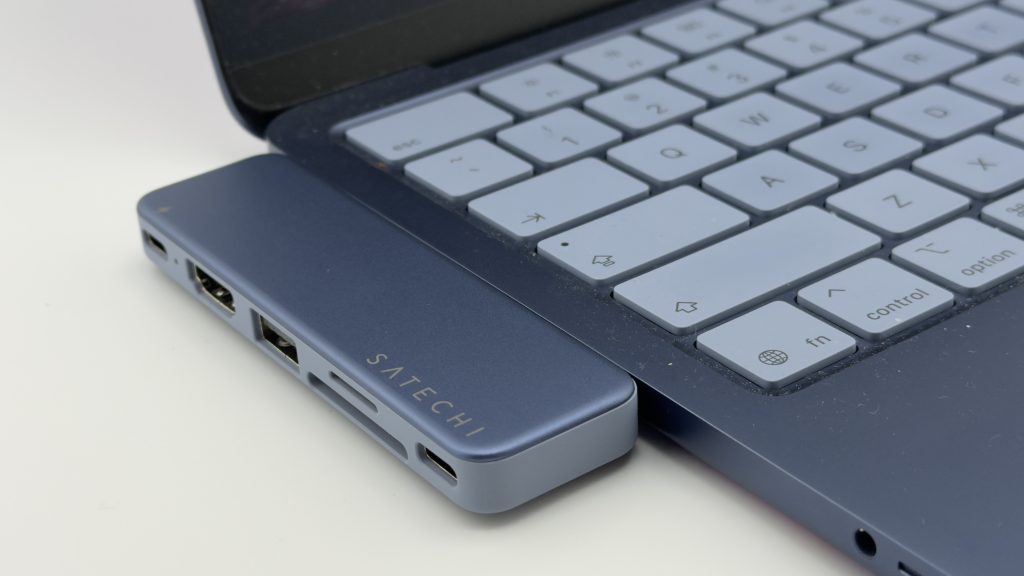
To compensate for the lack of port selection this laptop offers, Satechi offers the specially designed USB Snap Hub ($45) that connects to both of the laptop’s ports, but provides two USB Type-C ports, one USB Type-A port, an HDMI port, a microSD memory card slot, and an SD memory card slot. This optional accessory comes in the same color options as the Neo itself. It measures just 3.95 inches x 1.15 inches x 0.36 inches. This is definitely an add-on I’d recommend to all MacBook Neo users.
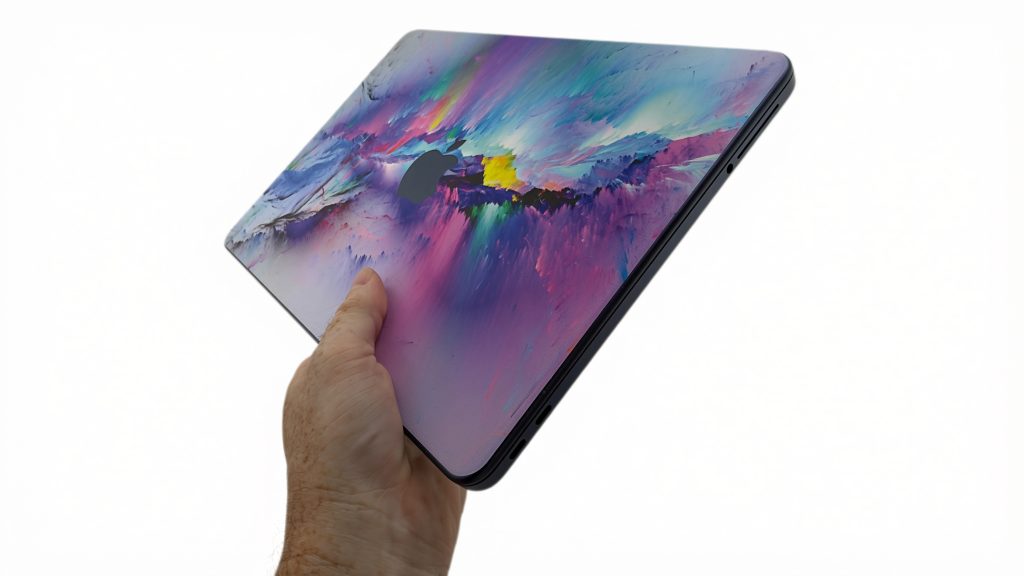
I’d also suggest investing in an optional padded laptop sleeve when transporting the laptop. The Tomtac Light A18 Laptop Sleeve for MacBook Neo ($24) is a good option. I personally added an optional adhesive skin to the laptop’s outer shell to further personalize my Neo and offer an added layer of protection against scratches.
Based on my testing and hands-on use of the MacBook Neo, I continue to be impressed by its design, battery life, and overall performance. Especially when focusing on the $899 model, I believe it’s well worth the investment if you want a starter laptop that keeps you fully immersed in the Apple ecosystem.
